Get your device and workspace ready for the visit
A checked backup, useful accessories and a suitable workspace make the agreed visit easier to plan. If any preparation is impossible, tell David beforehand.
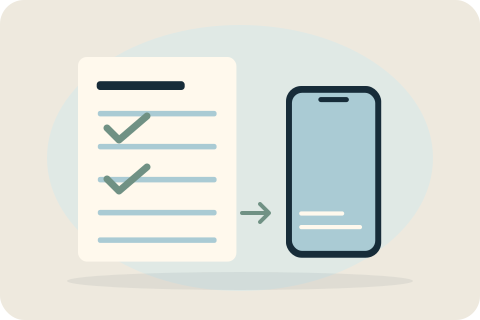
Check the agreed work first
Review the device, work and parts in the written quote. Tell David about known faults, liquid exposure or previous repairs. Have the agreed charger, cables or controller available for tests. Preparation should match the actual job, not a generic instruction to reset every device.
Back up what matters on your device
For a phone, check that important photographs, contacts and other data have a usable backup. For a laptop, verify important files independently of any planned cloning. For a console, protect supported saves and content using its platform options. If the device cannot be backed up, discuss that before work.
Protect passwords and private information
Do not send account passwords or recovery keys in messages. Enter necessary access yourself where practical and ask what testing requires. Cloning, formatting, reinstalling or deleting data needs specific written permission. Account removal or a factory reset is not automatically necessary for every repair.
Prepare the workspace and handover
Provide a clean, stable, well-lit surface and power where required. Keep the agreed accessories ready and allow access for the relevant checks. Review the payment arrangements in your quote and plan to review the work record at handover. Avoid forcing damaged hinges or handling loose glass.
Tell David about anything you cannot prepare
If you cannot make a backup, locate a model number, supply a required accessory or provide the workspace, contact David before the visit. A revised arrangement may be needed. It is better to discuss the limitation than discover at arrival that the agreed checks cannot be completed.
Your questions, answered.
What if the device cannot be backed up?
Tell David before the appointment. The risk and appropriate next step must be discussed rather than pretending a backup exists or promising data preservation.
Should I send my password or recovery key?
No. Keep secret access details private and enter needed credentials yourself where practical. Discuss encrypted-drive requirements without including recovery keys in messages.
Do I need to reset the device before repair?
Not automatically. Only carry out resets or account changes specifically agreed for the work, after checking the backup and understanding the consequences.
Tell David what needs attention.
A model, a description and a postcode are enough to start the conversation. The suitable work and total price are agreed before booking.
Ask about your devicePlease keep passwords and recovery keys private.