Plan how your existing laptop drive will be copied
Cloning can be part of a planned drive change when the source is healthy and compatible. Agree what will be copied and verify a separate backup before work.
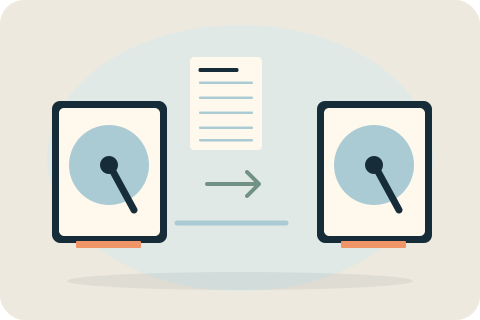
What does drive cloning preserve?
Cloning copies a suitable existing drive's system, applications and files to a replacement drive. Its purpose is to retain an existing setup during a planned drive change, rather than start again with a fresh installation.
It is not a guarantee that every application, licence or damaged file will work afterward, and it is not recovery from a failing or unreadable drive. The intended contents and checks must be agreed, with a separate verified backup kept before work.
When cloning is suitable
The condition of the source, space used, target capacity, encryption and compatibility affect suitability. Read errors or a failing drive change the risk and scope. Straightforward cloning is not specialist data recovery, and it should not be chosen as a way to rescue an unreadable source.
Backups, access and written permission
Keep a checked independent backup. Copying and any formatting require specific written authorisation. Enter necessary account access yourself where practical; do not send passwords or recovery keys in messages. If access or a backup is unavailable, discuss that before the appointment.
Copying and checking the result
The agreed copy is followed by relevant startup and file-access checks. Decide how the original drive will be handled and what is outside the scope. Do not assume a new installation, recovery or an extended migration is included in a straightforward cloning quote.
Discuss your migration plan
Send the laptop model, source and target details if known, and whether the existing system starts normally. Describe encryption or error messages without sharing secret keys. The intended transfer and its limitations should be clear before the drive is changed.
Your questions, answered.
Is cloning a substitute for a backup?
No. A separate checked backup protects important files independently of the copy operation. Cloning should not be treated as the only copy of valuable information.
Can you clone an encrypted drive?
Encryption and access requirements affect suitability. Discuss the setup beforehand and keep recovery keys private; needed access should be handled securely during the agreed work.
What if the old drive has errors or is failing?
Tell David first. Straightforward cloning is not failing-drive recovery, and attempting a routine copy may not be the right decision for an unreliable source.
Tell David what needs attention.
A model, a description and a postcode are enough to start the conversation. The suitable work and total price are agreed before booking.
Ask about your devicePlease keep passwords and recovery keys private.