Find the right service for your laptop
More space, a damaged screen or a battery that barely lasts: start with the job you need. Compatible upgrades and straightforward repairs are checked against the full laptop model.
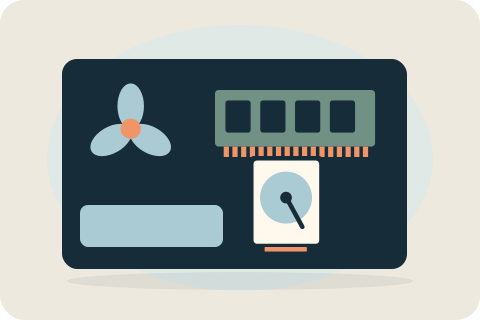
What would you like to improve or fix?
Choose storage help if the laptop is running out of room, memory advice if it struggles with several applications, battery assessment if unplugged runtime has declined, or the replacement-parts pages for physical damage. Heat and dust concerns have their own cleaning and cooling section.
These are starting points, not diagnoses. Slowness can have more than one cause, and a fault in one part does not automatically mean the whole laptop needs replacing.
Choose a laptop service area
Speed and storage covers compatible SSD fitting, RAM and healthy-drive cloning. Replacement parts covers straightforward screens, batteries and case enquiries. Cleaning and cooling separates dust maintenance from an unexplained heat problem. The exact job is confirmed before booking.

Speed & storage
A full drive and difficulty running several apps call for different choices. Compare storage, memory and data migration before choosing an upgrade.

Replacement parts
A cracked panel, worn battery or damaged casing needs the right part and a clear scope. Start with the component affected, then check the full laptop model.

Cleaning & cooling
Dust maintenance and an unexplained overheating fault are different jobs. Choose cleaning for a defined scope, or enquire about assessment when heat, noise or shutdowns are the concern.
Compatibility and repair decisions
An upgrade is practical only when the laptop has compatible, replaceable components. Soldered memory or storage can prevent fitting an upgrade, and similar-looking models can use different screens, batteries or housings.
The full model number, current configuration, existing damage and intended use determine the useful options. A part's capacity or appearance alone is not enough to establish that it will fit or solve the problem.
Protecting data before a home visit
Make and verify a backup of important files where possible. Copying, formatting or reinstalling needs specific agreement; it is not automatically included with a part replacement. Enter necessary credentials yourself and keep recovery keys private. Failing-drive recovery is outside straightforward cloning.
Ask about your laptop
For a repair, describe symptoms and any drop or spill. For an upgrade, describe capacity needs, applications and what you want to retain. Include your postcode so the home visit can be discussed alongside the supported work and written quote.
Your questions, answered.
Can my laptop be upgraded?
That depends on the model and replaceable components. The full model number is needed to check storage, memory and fitting limits before parts are ordered.
Do you work on every laptop brand?
There is no universal repair offer. Supported work and parts are checked for the exact laptop; faults outside the service are explained rather than accepted as routine jobs.
Will I need to back up my files?
Yes, back up and verify important files where possible. If the laptop cannot be backed up, tell David before work is agreed.
Tell David what needs attention.
A model, a description and a postcode are enough to start the conversation. The suitable work and total price are agreed before booking.
Ask about your devicePlease keep passwords and recovery keys private.