Add compatible SSD storage to your PS5
A compatible M.2 expansion SSD can add game-storage space to a PS5. Check the drive and cooling requirements before buying, then agree fitting and formatting.
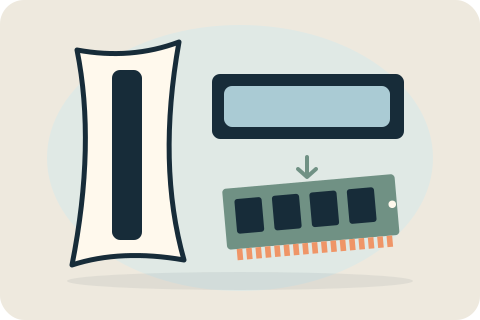
When PS5 expansion is the right task
Expansion is intended for additional game and application capacity, not repair of built-in system storage. If the console has errors or will not start, explain those first. A capacity upgrade is not promised to fix those faults or improve frame rates.
Choose a compatible M.2 SSD
PS5 expansion requires a supported M.2 NVMe drive with suitable physical dimensions and cooling. Not every M.2 product is compatible. A 1TB option can be considered, but the exact drive and heatsink arrangement must meet Sony's requirements before fitting.
Installation and formatting decisions
The drive is fitted through the supported expansion arrangement and the required initial setup is agreed. Formatting an expansion drive erases data on that drive, so permission and its contents must be checked. This is separate from replacing the console's built-in storage.
Using and checking the additional storage
After fitting, the checks establish whether the console recognises the additional storage and its agreed capacity. Moving games or applications is a separate part of the planned setup, so the work should be clear about what will be moved and what the customer will manage afterward.
M.2 expansion and USB extended storage have different uses; they are not interchangeable choices. Follow Sony's storage guidance for the intended use rather than assume an external USB drive can run every PS5 game directly.
Request an expansion quote
Send the console model, preferred capacity and the full SSD/cooling details if you already have hardware. David checks suitability and confirms the accepted work. Check Sony's current compatibility guidance before ordering rather than relying only on an SSD's advertised capacity.
Your questions, answered.
Can any M.2 SSD be used?
No. Interface, physical fit and cooling requirements apply. Use Sony's requirements and an exact-part check before buying or arranging installation.
Is 1TB suitable for my console?
Capacity alone does not establish suitability. A compatible 1TB drive can be discussed once the complete drive and cooling specification is known.
Does this replace the PS5's built-in storage?
No. M.2 expansion adds separate storage; the existing built-in system storage is not replaced as part of this service.
Tell David what needs attention.
A model, a description and a postcode are enough to start the conversation. The suitable work and total price are agreed before booking.
Ask about your devicePlease keep passwords and recovery keys private.