Explore an SSD upgrade for your laptop
Ask about a compatible SSD when you need more storage or want to replace an older drive. Capacity, fitting and moving your files are separate parts of the decision.
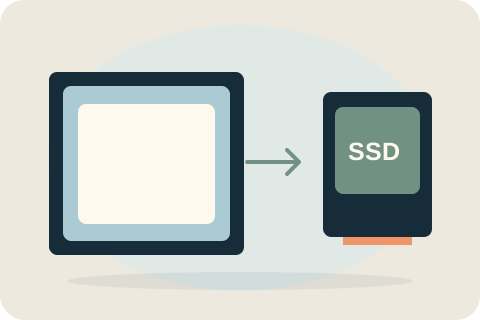
What do you need from the new drive?
More capacity gives you room for files and applications. Replacing a mechanical drive with a compatible SSD is a separate choice about the type of storage. A larger drive and a different type of drive can be part of the same job, but capacity alone does not explain every performance problem.
The useful choice depends on current space usage and the laptop's supported hardware. Existing drive errors need attention before a routine upgrade: fitting new storage does not include recovering an unreadable source.
Compatibility and capacity choices
The exact laptop model determines the interface, form factor and whether storage is replaceable. A 1TB drive is an option for compatible devices, not a universal fit. The quote identifies the actual drive, its condition and the capacity agreed for your needs.
Decide how your files will move
Fitting a drive does not automatically move files or install an operating system. Healthy-drive cloning can be discussed separately when suitable. If the source is failing or unreadable, do not assume an upgrade includes recovery. Decide the migration plan and verify your backup first.
Fitting, checks and quote factors
The accepted work fits the compatible drive and checks the operation covered by the quote. If retaining the old setup is part of the job, the agreed migration and relevant startup or file-access checks are additional parts of that scope.
The drive chosen, access needed and any authorised migration or setup affect the total. Fitting alone does not automatically include copying files or installing a system, and an SSD does not fix faults elsewhere in the laptop.
Request an SSD quote
Send the full model number, current storage if known and the capacity you want. Say whether you need to retain the existing setup and whether the old drive shows errors. Check suitability before buying a part; equal capacity does not mean equal compatibility.
Your questions, answered.
Can my laptop support a 1TB SSD?
Many compatible models can, but the interface and upgradeability need checking. Send the full model before ordering a drive.
Will I keep my existing Windows setup?
Not automatically. Straightforward cloning may retain a suitable existing setup, but it is a separately agreed service. Fitting alone does not include migration or system installation.
What if the old drive is failing?
Explain any errors or unreadable files before booking. Straightforward cloning is not failing-drive recovery, and backup or a specialist recovery decision may be more appropriate first.
Tell David what needs attention.
A model, a description and a postcode are enough to start the conversation. The suitable work and total price are agreed before booking.
Ask about your devicePlease keep passwords and recovery keys private.