Choose the right storage option for your PlayStation
PS4 replacement and PS5 expansion solve different storage needs. Choose your platform, then plan the compatible drive and the data arrangements before fitting.

What is the storage problem?
Insufficient room for games is a capacity problem. Repeated storage errors or an unreadable drive are fault symptoms and may need a different assessment before a routine upgrade is appropriate.
More compatible storage addresses the space available; it does not guarantee a fix for system errors or faults elsewhere. Failing-drive recovery is outside the routine upgrade scope. The platform pages distinguish replacing a PS4 drive from adding PS5 expansion storage.
Choose your console platform
PS4 work can replace a compatible internal system drive. PS5 M.2 work adds expansion storage without replacing the existing built-in system storage. Follow the page for your platform; parts and setup for one are not interchangeable with the other.

PS4 drive replacement
Ask about a compatible PS4 drive for more capacity or a storage concern. The drive choice, system-software setup and backup arrangements need an agreed scope.
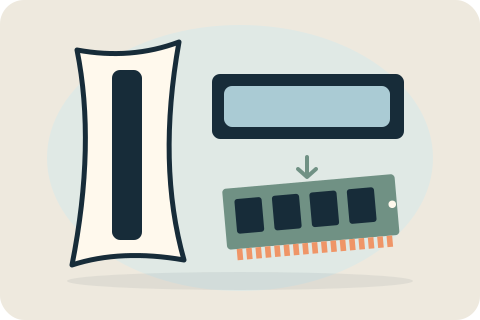
PS5 SSD expansion
A compatible M.2 expansion SSD can add game-storage space to a PS5. Check the drive and cooling requirements before buying, then agree fitting and formatting.
Capacity, compatibility and expectations
Capacity, interface, physical fit and cooling requirements matter. A compatible 1TB option may be useful, but the exact part and console must be checked. Extra storage does not promise higher frame rates, better graphics or a fix for non-storage faults.
Plan backups and installation
Agree what happens to saved data, game downloads and system setup before the visit. Replacement and expansion can involve different formatting requirements. Back up supported data and do not send account credentials in messages. Permission for data operations must be explicit.
Discuss the right upgrade
Send the console model, desired capacity and current problem. Include the model of any drive you intend to supply. David checks compatibility and confirms the accepted fitting, setup and checks before you order parts or book.
Your questions, answered.
Is PS5 expansion the same as replacing a PS4 drive?
No. PS4 replacement concerns its compatible internal drive. PS5 M.2 fitting adds an expansion drive and does not replace built-in system storage.
Can an upgrade fix every storage error?
No. Error messages can have several causes. Describe them before choosing an upgrade so storage work is not mistaken for a guaranteed diagnosis.
Will my saved games be kept?
Do not assume that. Backup and handling of supported saved data must be planned for the specific job before formatting or replacement.
Tell David what needs attention.
A model, a description and a postcode are enough to start the conversation. The suitable work and total price are agreed before booking.
Ask about your devicePlease keep passwords and recovery keys private.